

-
Sothink SWF to FLEX Converter
- Sothink SWF to FLEX Converter, an easy and powerful FLEX decompiler, can decompile one or more SWF to FLA/FLEX. It supports Flash CS3/CS4/CS5/CS6. This FLEX decompiler can recover FLA or FLEX project, and extract Flash elements including shape, sounds, images, sprites, fonts, texts, ActionScript, decompile SWF containing TLF text, etc. It is compatible with ActionScript 3.0. The multi-language interface is available in the FLEX decompiler.


What Is FLEX?
 Flex is a free, open source framework for building highly interactive, expressive web applications that deploy consistently on all major browsers, desktops, and operating systems. It provides a modern, standards-based language and programming model. (Why uses FLEX?) Flex also includes a rich component library with more than 100 proven, extensible UI components for creating rich Internet applications (RIAs), as well as an interactive Flex application debugger. (From Adobe)
Start FLEX Learning by This FLEX Decompiler
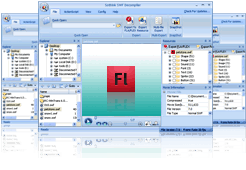
Before you learn FLEX, make sure you have downloaded and installed Sothink SWF Decompiler, an excellent FLEX decompiler on your computer. And then open FLEX SWF in the program, you will get:
For Beginners and intermediates:
- Capture FLEX SWF file, capture Flash game from IE/Firefox online.
- Easily view file properties of FLEX SWF in the FLEX decompiler: file size, compressed, file version, frame width, frame height, frame count, etc.
- Freely play FLEX SWF movie in built-in player.
- Fully control FLEX movie, play, stop, forward, backward, pause, etc.
- Take snapshot for the playing FLEX SWF movie in the preview window of the FLEX decompiler.
- Parse FLEX SWF, and view the file's structure and elements.
For Advanced:
- Export FLEX SWF to FLA, SWF to FLEX project, and get MXML file and other project files via the help of this FLEX decompiler.
- View and learn Adobe FLEX Component.
- Learn how to embed image, font, video,etc.
- View FLEX application source code.
- View ActionScript resources or search in source code to learn ActionScript.
Retrieve Flex Projects by the FLEX Decompiler
Before retrieving FLEX project, make sure you have downloaded and installed Sothink SWF Decompiler on your computer. And then open FLEX SWF in the FLEX decompiler, you can:

- Decompile SWF to FLA.
- Decompile SWF to FLEX project, and get MXML file and other project files. (Copyright taken by you)
- Export SWF to FLA/SWF to FLEX projects, and extract resources in batch mode by the FLEX decompiler. (Copyright taken by you)
- Export all resources embedded in FLEX SWF file one by one. (Copyright taken by you)
Why Need a Good FLEX Decompiler?
FLEX is an application solution for RIA (Rich Internet Application), the programmer can easily make highly interactive, expressive web applications on all major browsers, desktops, and operating systems. Below lists the advantages about FLEX:
- Full compatible with almost all browsers and platforms.
- MXML in FLEX simplifies the layout design.
- Easily embed the video and audio in SWF movie.
- Apart the data from XML and SOAP, and bind them to element on interface.
- FLEX is a visual programming environment.
- Support CSS completely.

Quick Links
Product Info
- File Size: 33.7 MB
- Latest version: 7.2
- Build number: 4842
- Release date: May. 21, 2012
- Uninstall: Supported
-
System Requirements:

Windows 7
Windows Vista
Windows XP
Windows 2000
Reviews
- "Sothink SWF Decompiler is a really professional tool allows catching and saving web Flash animation for further editing by special applications."
- Onekit Software Magazine
- "It breaks Flash down into its component parts, including sound, images, fonts, buttons, and even action scripts. The toolbar-based interface is spacious, attractive, and thoughtfully laid out."
- download.com
Bundle Discount

Tailored to Flash designers, the package helps to recover your lost FLA from SWF and edit SWF file directly.
 Buy for $125.00 SAVE $39.94
Related Products

- SWF Quicker
- Leading Flash SWF editor to open and edit SWF directly!

- Logo Maker
- DIY professional logo designs in minutes!

