Sothink-Flash Movie Maker, SWF Decompiler, DHTML Menu, SWF Quicker, SWF to FLA converter, SWF Editor, HTML Editor

Using Sothink SWF Catcher for Firefox

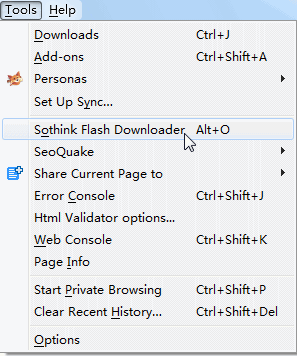
  1. Please select Tools > Sothink SWF Catcher (or press Alt+C) from the main menu of Firefox.


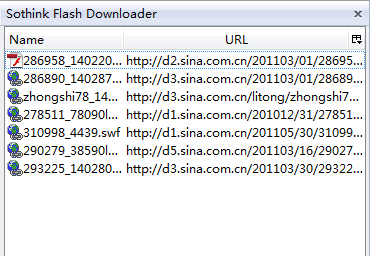
  2. You should see the Sothink SWF Catcher Sidebar now.


  3. Open any Web page that contains Flash movies. After the page has been loaded, you can see a list of Flash movies in the Web page in the Sidebar.
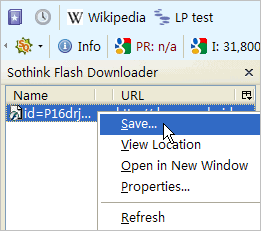
  4. Right click the Flash movie in the Sidebar and select Save from the popup menu to save the Flash movie to your local disk.


  5. After the Flash movie has been saved, you can then view it locally, decompile it with Sothink SWF Decompiler or import it into Sothink SWF Quicker and edit it.

Uninstall

  1. Select Tools > Extensions.
  2. Select Sothink SWF Catcher from the extension list.
  3. Click Uninstall.
  4. Restart Firefox.

      SourceTec Software Co., LTD. All rights reserved. Email:webmaster@sothink.com
      Flash Decompiler, SWF Decompiler, Flash Animation Software, DHTML Menu, Tree Menu, JavaScript Web Scroller, Flash Album