Drop Down Menu Builder, Create the Best Drop Down Menu
How to create drop down menu?
- What's drop down menu?
Drop down menu refers to a menu of options that appears below the item when the computer user clicks on it. If you click your mouse on the arrows in a drop-down menu (also known as a pull-down menu), you will be able to select a product or service.
The drop down menus are commonly used for web site navigation. Professional drop down menus will undoubtedly add appeal to your web site and make the site navigation more effective.
- What does drop down menu look like?
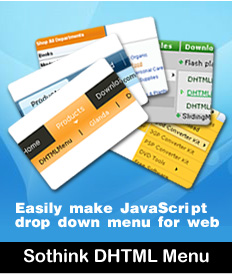
See the following drop down menu sample, and you can click to view the multi-column items:
- How to create drop down menu in the easiest way?
Sothink DHTML Menu, a professional drop down menu builder, enables users to get rid of the conventional large quantities of scripting work, but offers an easy and productive way to create attractive SE friendly drop down menus, JavaScript menus without any JavaScript programming.
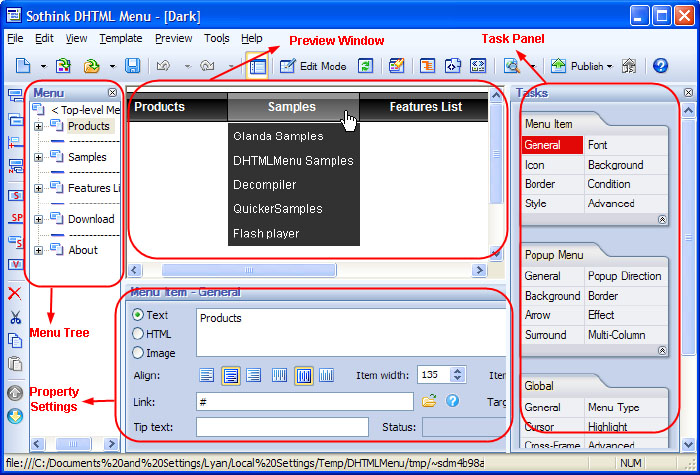
With Sothink DHTML Menu, you can make brand-new menu, or edit existing menu from templates. See the following general steps:
- Start from a template, and then organize and edit the menu item in Menu Tree;
- Choose the editing functions in Tasks Panel;
- Set the selected object's properties in Properties Panel;
- View the menu result in Preview Window;
- Publish the menu to your web site.
More Drop Down Menu Samples
Popular Drop Down Menus:
Advanced Drop Down Menus:

-
DHTML Menu
-
- Build SE friendly drop down menu, Javascript menu
-
- About Sothink DHTML Menu
-
It is an easy and productive drop down menu builder to create SE friendly drop down menu, JavaScript menu for web navigation without writing a single line of code. Rich built-in templates and preset styles will help you to design good-looking, professional, and fast-loading DHTML menus in just a few minutes.
Free integration enables you to add menus to webpage using existing HTML editor. Even amateur web menu designers can make advanced drop-down menus easily.The menu appearance can be fully customized.


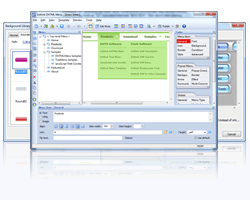
Main Features:
* Work in All Browsers
* Require No JavaScript Coding
* Rich Template Resources
* Flexible Menu Item Customization
* Publish Wizard
 100% Clean - No need to worry about installing unwanted spyware or adware. Uninstallation is completely supported.
 Life-time Free Support - Send an email to our customer service team at support@sothink.com whenever you need help.
 Risk Free Guarantee - Shop safely in our secure online store. Your data and personal information are protected.
Reviews
- "This specialized program eases the process considerably with a no-nonsense interface that puts the necessary design and scripting elements at your fingertips."
- download.com
- "I can now create DHTML menus looking exactly how I want them, without having to wrestle with indecipherable javascript code."
- htmlbasix.com
Guides
- How to create drop down menu?
- How to create a PHP drop down menu?
- How to make effective navigation bar for your website?
- How to create a stunning and effective drop-down menu?
- 30 simple but effective jquery drop down menu
- 50 beautiful and user-friendly web menus
- How to make your JavaScript menu search engine friendly?
- Drop down menu script VS drop down menu builder
- How to add a dropdown menu to HTML page?
- How to position a drop down menu in webpage?

